In summary:
- Effective offline navigation requires managing your device as a complete system, not just downloading a map.
- Choosing vector maps over raster maps is critical for detail and searchability, despite higher CPU usage.
- Actively configuring device settings, like backlight and GPS ping intervals, is more effective than just carrying a power bank.
- Combining satellite networks (e.g., GPS + GLONASS) dramatically improves signal lock and accuracy in difficult terrain.
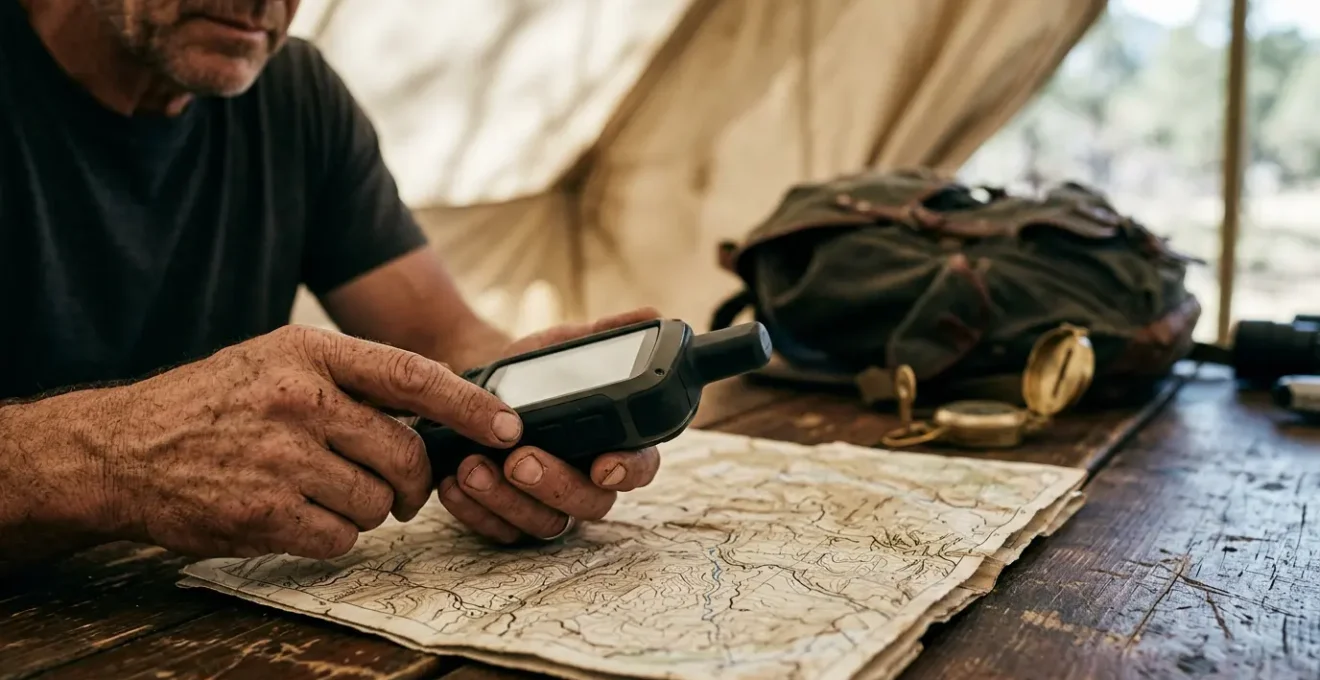
- A triple redundancy protocol (dedicated GPS, smartphone, paper map) is the professional standard for safety in remote areas.
The moment of dread is universal for any modern traveler: you’re deep in a remote area, you pull out your phone for a critical navigation check, and the screen displays a useless, blank grid. The cell signal is gone, and with it, your map. This fear is rooted in a common misunderstanding of how digital navigation works. While the Global Positioning System (GPS) itself is a passive receiver that doesn’t require cellular data to determine your coordinates, the map display is not. That visual layer—the trails, topography, and points of interest—must be stored on your device beforehand.
Many guides offer simplistic advice: “download maps before you go” or “bring a power bank.” While not incorrect, this advice fails to address the core technical challenges. It treats navigation as a single action rather than what it truly is: a complex systems management task. True reliability in the backcountry doesn’t come from a single tip, but from a holistic understanding of the technology you’re entrusting with your safety. This involves making informed decisions about data architecture, power budgeting, and signal integrity.
This guide departs from the superficial. We will approach offline navigation from the perspective of a Geographic Information Systems (GIS) specialist. The goal is to move beyond simply having a map to building a resilient, failure-proof navigation system. We will dissect the technical trade-offs between map types, optimize hardware for extreme endurance, and establish protocols that ensure you can find your way even when your primary technology fails. It’s time to stop fearing the blank screen and start mastering the system that prevents it.
To navigate this complex topic, this guide breaks down the essential components of a robust offline mapping strategy. From the foundational data types to emergency procedures, each section builds upon the last to provide a comprehensive system for reliable remote travel.
Summary: A Systems Guide to Pre-Loading Maps for Offline Use
- Vector vs Raster: Which Map Type Is Better for Zooming In?
- Backlight Drain: How to Configure Settings to Double Battery Life?
- GLONASS + GPS: Why Using Multiple Satellite Networks Improves Fix?
- Dedicated Unit vs Smartphone: Which Survive a Drop on Rocks?
- Waypoints vs Tracks: How to Mark Your Path Without Filling Memory?
- The Canyon Problem: How Much Sky Does Your Device Need to Connect?
- Why Relying Solely on Digital Maps Can Be Fatal in Remote Areas?
- Navigating Ancient Boreal Forests: How to Find Your Way When GPS Fails?
Vector vs Raster: Which Map Type Is Better for Zooming In?
The first critical decision in building your offline navigation system is selecting the right map data architecture. This choice fundamentally impacts storage, performance, and functionality. The two primary formats are vector and raster. A raster map is essentially a static image, like a photograph of a paper map, chopped into tiles. It’s simple and requires low processing power, but it becomes pixelated when you zoom in past its native resolution, and the data within it (like trail names or points of interest) is not searchable.
Vector maps, conversely, are databases of geographic features represented by points, lines, and polygons. When you zoom, the device redraws the map from this data, ensuring it remains crisp and clear at any magnification level. This makes them far superior for detailed navigation. Furthermore, all the data is live and searchable, allowing you to look up a campsite or a water source even without a signal. The trade-off is that rendering vector data requires more CPU and GPU power, which can impact battery life during active use.
For most remote navigation, vector is the superior choice. The ability to zoom indefinitely without losing clarity and to search for features offline provides an enormous tactical advantage. While raster maps have a place for visualizing landscape texture or for use on older, less powerful devices, the efficiency of modern vector tiles has made them the standard. As research into tile formats shows, vector maps are often 20-50% smaller in file size than their raster equivalents for the same area, a crucial factor when storing large regions.
| Characteristic | Vector Maps | Raster Maps |
|---|---|---|
| File Size | 20-50% smaller than raster | Larger, increases with zoom levels |
| Offline Searchability | Full POI and trail name search offline | No searchable data (image only) |
| Device Requirements | Higher CPU/GPU for rendering | Low processing, pre-rendered images |
| Zoom Quality | Crisp at all zoom levels | Pixelated beyond pre-rendered levels |
| Battery Impact | Higher drain during active rendering | Lower power consumption (static images) |
| Best Use Case | High-density trail networks, searchable data | Landscape texture, older devices, battery conservation |
Backlight Drain: How to Configure Settings to Double Battery Life?
Having the right map data is useless if your device’s battery is dead. Power management, or “power budgeting,” is the most critical software skill for offline navigation. The single largest consumer of power on any modern device is the screen backlight. Simply carrying a power bank is a reactive solution; a proactive GIS approach involves systematically reducing power consumption at the source without compromising essential functionality. Reducing screen brightness to the lowest comfortable level (often 30-40%) can have a more significant impact than any other single setting.
The second major drain is the cellular and Wi-Fi radio. When you are in an area with no service, your device will constantly and aggressively search for a network, consuming enormous amounts of power. Enabling Airplane Mode is essential, as it disables these radios. Crucially, this does not disable the GPS receiver, which is a passive antenna that only listens for satellite signals. This one action prevents the most significant source of background battery drain. Further optimization can be achieved by adjusting the GPS tracking interval. For hiking or backpacking, a position log every 30 seconds is more than sufficient and uses far less power than a 1-second interval designed for high-speed activities.
It’s also important to note how signal quality itself affects power. In areas with a poor satellite fix, the GPS chipset must work harder to acquire and maintain a lock. This is why studies demonstrate that GPS tracking in weak signal areas can cause a 38% battery drain, compared to just 13% in areas with a clear view of the sky. By closing all other background apps and disabling non-essential features like Bluetooth, you dedicate the device’s full resources to maintaining a strong signal, thereby saving power.
Your Action Plan: 7-Step Battery Optimization Protocol for GPS Navigation
- Download offline maps before the trip while connected to WiFi to avoid data searching.
- Enable Airplane Mode in remote areas to prevent cellular network searching (this keeps the GPS active).
- Reduce screen brightness to 30-40%—the screen is the single biggest power drain.
- Disable Live Logging and Bluetooth features when not essential.
- Configure the GPS tracking interval to 30 seconds instead of 1 second, which offers minimal accuracy loss for hiking.
- Turn off your phone’s general “Battery Saver” mode, as it can interfere with the GPS app’s own optimization.
- Close all background apps before starting navigation to prevent resource drain.
GLONASS + GPS: Why Using Multiple Satellite Networks Improves Fix?
Signal integrity is the bedrock of accurate positioning. Your device’s location is calculated by triangulating signals from a constellation of satellites. For decades, the dominant system was the United States’ Global Positioning System (GPS). However, modern devices are rarely GPS-only. They are multi-constellation GNSS (Global Navigation Satellite System) receivers, capable of using signals from multiple networks simultaneously. The most common addition is Russia’s GLONASS, with others including Europe’s Galileo and China’s BeiDou.
The primary advantage of using multiple constellations is a dramatic increase in the number of visible satellites. To get a reliable 3D fix, a receiver needs to see at least four satellites. In challenging terrain like deep canyons or dense forests, the view of the sky is obstructed, and it may be impossible to see four GPS satellites at once. By enabling GLONASS, you effectively double the pool of available satellites, making it far more likely to achieve and maintain a lock. This is not just a theoretical benefit; a 2022 study on multi-constellation GNSS performance found that adding GLONASS reduced the time to first fix by up to 70% and improved 3D accuracy by over 6% in high-latitude regions compared to GPS alone.
This enhanced performance is particularly noticeable in “urban canyons” or their natural equivalent, steep-sided valleys. In these environments, signals can be blocked or reflected (a phenomenon called multipath error), leading to inaccurate readings. With more satellites to choose from, the receiver’s firmware can reject poor-quality signals and select the ones with the most direct line of sight. For a traveler, this means the position displayed on the screen is more reliable, updates faster, and is less likely to jump around. Combining satellite networks is a core principle of building a resilient system, providing a buffer of signal integrity when the environment is working against you.
Dedicated Unit vs Smartphone: Which Survive a Drop on Rocks?
The hardware you choose is as important as the software it runs. The debate between using a dedicated GPS unit (like those from Garmin) and a smartphone is often oversimplified. From a systems perspective, the choice depends on prioritizing durability and reliability over convenience. While a modern smartphone is a capable navigation tool, it is a single point of failure for communication, photography, and navigation. A dedicated GPS unit is built for one purpose: to function in harsh environments where a smartphone would fail.
The most significant difference is durability and environmental resistance. Dedicated units are designed with IPX7 or higher waterproof ratings, meaning they can be fully submerged without damage. Most smartphones are merely water-resistant and can fail in a sustained downpour. Dedicated units feature physical buttons, which are fully operable with gloves or wet hands, whereas a smartphone’s touchscreen becomes useless in such conditions. Furthermore, their transflective screens are designed to be more readable in direct, bright sunlight, while a smartphone screen washes out and requires maximum brightness, draining the battery.
Battery systems also differ profoundly. In cold weather, a smartphone’s lithium-ion battery can die in hours. Dedicated units are far more robust against cold, and many run on field-replaceable AA batteries. This is a critical redundancy; if the batteries die, you can simply swap in a new pair. A smartphone with a dead integrated battery becomes a useless brick. When it comes to pure longevity, the difference is stark: field testing reveals dedicated GPS units can achieve over 35 hours of continuous use, while a smartphone running a navigation app will typically last only 8-12 hours.
| Factor | Dedicated GPS (e.g., Garmin GPSMAP 67i) | Smartphone (e.g., iPhone 14) |
|---|---|---|
| Battery Life (6-hr hike) | 97% remaining (3% drain) | 58% remaining (42% drain) |
| Cold Weather (-10°F) | 2% drain over 4 hours | Dead in 4 hours |
| Waterproof Rating | IPX7+ (full submersion 1m/30min) | IP67/68 (rain resistant) |
| Glove Operation | Physical buttons, fully functional | Touchscreen fails with gloves/moisture |
| Screen in Sunlight | Transflective (more readable in bright light) | Washes out, requires max brightness |
| Battery Replacement | AA batteries (field replaceable) | Integrated (single point of failure) |
Waypoints vs Tracks: How to Mark Your Path Without Filling Memory?
As you build your offline map library, managing your own geodata becomes essential. The two primary methods for marking your path are waypoints and tracks. A waypoint is a single, discrete coordinate—a digital pin in the map marking a specific point of interest like a campsite, a water source, or a trail junction. A track (or tracklog) is a continuous series of thousands of points recorded automatically by your device, creating a “breadcrumb trail” of your exact path.
The challenge is to use these tools strategically to create useful data without filling your device’s memory or creating a cluttered, unusable map. Tracks are excellent for post-trip analysis but can be memory-intensive. For a long expedition, continuously recording a high-detail track can consume significant storage. In contrast, waypoints are extremely small data points. The key is to be deliberate. Instead of relying solely on a continuous track, proactively mark critical decision points, resources, and hazards with well-named waypoints. This creates a simplified, high-value map of your intended route that is easy to interpret at a glance.
A systematic naming convention is crucial for making waypoints useful. A waypoint named “001” is meaningless in the field. A waypoint named “JCT-NorthTrail” is instantly recognizable. A professional system uses prefixes to categorize points and adds descriptors for conditions.
- Use prefix codes for instant recognition: JCT- for trail junctions, WTR- for water sources, CAMP- for campsites.
- Add condition descriptors: -Reliable, -Unreliable, -Seasonal, -Exposed, -Sheltered.
- Include direction when relevant: JCT-MainSouth, JCT-EastRidge.
- Keep names under 15 characters for broad device compatibility.
This methodical approach to data creation transforms your map from a passive background into an active, strategic tool. It also minimizes storage, as a curated set of waypoints is far smaller than a multi-day tracklog. For context, data shows that a 60-mile offline route map might only require 20MB of storage, and your custom waypoints will add a negligible amount to this total.
The Canyon Problem: How Much Sky Does Your Device Need to Connect?
The “Canyon Problem” is a term used to describe any environment where the view of the sky is severely limited, whether by tall buildings in a city or the steep walls of a valley. This obstruction directly impacts a GPS receiver’s ability to “see” a sufficient number of satellites to calculate an accurate position. Each satellite your device can’t see is one less data point for its triangulation algorithm, leading to lower accuracy, longer acquisition times, or a complete failure to get a fix.
The amount of sky needed depends heavily on the capability of the receiver. A simple, older GPS-only device might require a wide, unobstructed view. However, a modern multi-constellation GNSS receiver (using GPS, GLONASS, Galileo, etc.) can achieve a lock with a much smaller window to the sky. As the GLONASS technical documentation notes, in such environments, “accuracy can be greatly improved over using GPS alone.” This is because the different satellite constellations have varying orbital paths, increasing the statistical likelihood that several will be visible even from the bottom of a canyon.
Case Study: Signal Acquisition in Deep Forest Canyons
Field testing in old-growth forests with 60-degree canyon slopes highlighted the performance gap. Dedicated GPS units with multi-constellation support consistently achieved a fast, accurate satellite lock. In contrast, smartphones, even in airplane mode, struggled with long acquisition times and reduced accuracy. The study noted that body heat and pocket placement further degraded the smartphone’s antenna efficiency, compounding the canyon problem and underscoring the hardware’s role in maintaining signal integrity in challenging terrain.
For the traveler on the ground, this means that investing in a device with a high-quality, multi-constellation chipset is a direct investment in reliability. It’s not just about having more satellites; it’s about having a system that is robust enough to function when the environment is at its most challenging. The Canyon Problem illustrates that signal acquisition is not guaranteed; it is a function of both the surrounding terrain and the technical sophistication of your hardware.
Key Takeaways
- System Failure is the Real Risk: Relying on a single device, especially a smartphone, for navigation in remote areas is a critical error.
- Environmental Factors Are Decisive: Battery life plummets in the cold, and touchscreens fail when wet or used with gloves, rendering the device useless when needed most.
- Redundancy is a Protocol, Not an Afterthought: A structured three-tier system (dedicated GPS, smartphone backup, and paper map/compass) is the only professional approach to ensure safety.
Why Relying Solely on Digital Maps Can Be Fatal in Remote Areas?
We have dissected the components of a digital navigation system, but the most important lesson is understanding its limitations and potential for catastrophic failure. Relying solely on a single digital device, particularly a smartphone, for navigation in a remote area is not just risky; it can be fatal. This is because you are creating a single point of failure. If that device breaks, gets wet, runs out of battery, or succumbs to the cold, you are left with nothing.
The environment is an active adversary to consumer electronics. Cold weather is a notorious battery killer; testing confirms a 20-40% reduction in a smartphone’s battery capacity as temperatures drop toward freezing. A fall onto rocks can shatter a screen. A sudden downpour can infiltrate a device that is merely “water-resistant.” In these moments, which often coincide with the most critical need for navigation, your primary tool can become inert.
The only professional and safe approach is to adopt a Triple Redundancy Navigation Protocol. This is not simply having a “backup”; it is a structured, multi-layered system where each component is verified and ready for deployment. This protocol ensures that the failure of one system does not leave you stranded. It acknowledges the fallibility of technology and builds a safety net based on decreasing levels of technological dependence.
- Primary System: A dedicated, rugged GPS device with fresh batteries and pre-loaded, verified offline maps.
- Secondary System: A smartphone with a reliable offline map app (e.g., Gaia GPS, OsmAnd) in airplane mode, fully charged and protected from the elements.
- Tertiary System: A waterproof paper topographic map of the area and a reliable magnetic compass, stored in a sealed bag. This non-electronic system is the ultimate failsafe.
Before any trip, all three systems must be cross-referenced to ensure they show the identical route and critical waypoints. This protocol moves navigation from a hopeful reliance on a single gadget to a resilient, professional strategy for survival.
Navigating Ancient Boreal Forests: How to Find Your Way When GPS Fails?
What happens when the entire digital system fails? Your dedicated GPS is broken, and your phone’s battery is dead. This is the ultimate test of a navigator, where you must revert to the fundamental principles of orientation and movement. The key is to have a pre-established emergency protocol to execute the moment you realize your technology has failed. The first and most important step is to STOP. Continuing to move while disoriented is the most common mistake and the fastest way to get truly lost.
Install Organic Maps, download maps, throw away your SIM card, and go for a weeklong trip on a single battery charge without any byte sent to the network.
– Organic Maps Development Team, Organic Maps Official Website
This is where your tertiary system—the paper map and compass—becomes your primary tool. The goal is to use the technique of dead reckoning. This involves navigating from your Last Known Point (LKP), which you should have been mentally tracking or physically marking on your map. From your LKP, you take a compass bearing to a major, identifiable terrain feature on your map, such as a prominent ridge, a lake, or a stream. You then use pace counting (calibrating how many of your steps equal a mile) to measure your distance traveled along that bearing. This combination of direction and distance allows you to move with purpose and track your new position on the paper map.
This skill is not intuitive and requires practice. Before any remote trip, you should calibrate your pace count and practice navigating with only a map and compass in a familiar area. This non-digital skill set is the final layer of your resilient navigation system. It is the knowledge that ensures that even in the face of total technological failure, you still have a clear, methodical plan to find your way.
Your Action Plan: Last Known Point (LKP) Emergency Navigation Protocol
- STOP immediately when GPS signal is lost. Do not continue moving.
- Mark your Last Known Point (LKP) on your waterproof paper map using your last confirmed coordinates.
- Take a compass bearing to the nearest major terrain feature visible on the paper map (stream, ridge, etc.).
- Use pace counting: know your personal calibration (e.g., 2000 paces = 1 mile).
- Navigate using dead reckoning: follow the compass bearing while counting paces toward the target feature.
- Use time estimation as a cross-check: average hiking speed is 2-3 mph on trails, 1 mph off-trail.
- Upon reaching the target feature, reorient your map to establish your new, confirmed position before proceeding.
By treating offline navigation as a complete system—from data architecture and power management to hardware resilience and non-digital backups— you transform yourself from a passive user into a proactive and safe remote traveler.